mbk4dAndroid & iOS App
We at mbk4d offer a mobile app for Android and a web-based app for iOS so you can access live-dealer tables, sportsbook markets, and draw games from your phone. Mobile-first design means faster loading, lower data use, and offline features that desktop browsers cannot match. Our app works in supported jurisdictions where local law permits online entertainment services.

- DownloadAPK
- and
- Installin
- StartFirst Game
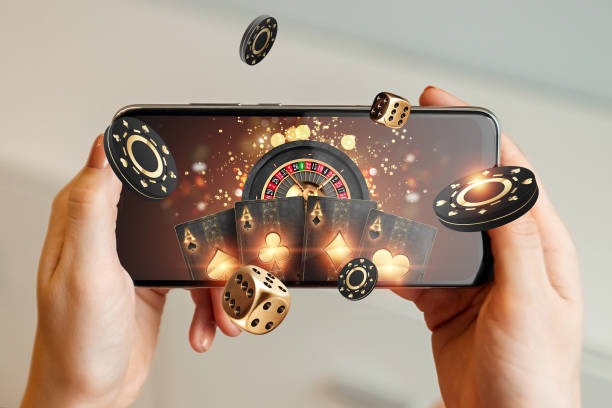
The mbk4d app gives you instant access to blackjack, roulette, baccarat, Dragon Tiger, and live-dealer studios with multi-camera feeds. You can also place predictions on Liga 1, Piala AFF, Champions League, Premier League, MotoGP, and badminton. Deposits via DANA, e-wallet, mobile banking, local payment, online payment, e-wallet, and bank transfers are processed instantly on mobile. Your account syncs across all devices—start on your phone, continue on desktop, or switch back without logging out again.
This page covers how to install the mbk4d app on Android, how to access mbk4d on iOS via browser, and what to expect from the mobile experience. We also explain device requirements, common setup issues, and how we protect your data on mobile.
Installation paths for mbk4d on mobile
We offer three ways to access mbk4d on mobile. Android users can download and install our native APK app directly from our website. iOS users can access mbk4d through Safari or Chrome as a web app—no App Store download needed. Desktop users can visit mbk4d.app in any browser. All three paths connect to the same account and the same game library.
The Android APK app is optimized for phones running Android 7 or later. The iOS web app works on Safari or Chrome on iOS 12 or later. Both offer offline caching, push notifications for live-dealer table availability, and low-bandwidth streaming for users with slower connections. The web app on desktop offers the same features but without push notifications.

Android APK installation
To install the mbk4d app on Android, visit our website from your phone and tap the Android download link. Your phone will download the APK file. Before installation, you may see a security warning—this is normal because the app comes from outside the Google Play Store. To proceed, go to your phone's Settings, find Security or Apps, and enable "Unknown Sources" or "Install from Unknown Sources". Then open the downloaded file and tap Install. The app will appear on your home screen within seconds.
If you see a certificate warning during installation, this is a security check by your phone. Tap "Install Anyway" to proceed. The mbk4d app is signed with our official certificate, so it is safe to install. Once installed, you can log in with your mbk4d account or create a new account directly in the app.
iOS web app access
iOS users do not need to download an app. Open Safari or Chrome on your iPhone or iPad and visit mbk4d.app. The site will load in your browser. To add mbk4d to your home screen, tap the Share button (the square with an arrow), then tap "Add to Home Screen". A shortcut will appear on your home screen that opens mbk4d in full-screen mode, just like a native app. You can then log in or create an account directly in the browser.
The iOS web app works identically to the Android app—you get the same live-dealer tables, sportsbook markets, and draw games. The only difference is that iOS web app users do not receive push notifications. You can still check the app anytime to see which live-dealer tables are active.
Installation summary
- Android: download APK from our website, enable Unknown Sources, install
- iOS: open mbk4d.app in Safari or Chrome, add to home screen
- Desktop: visit mbk4d.app in any browser
- All paths use the same account and game library
Getting started with the mbk4d app
First-time setup
Once you have installed the app or opened it in your browser, you will see the login screen. If you already have an mbk4d account, enter your email and password. If you are new to mbk4d, tap "Create Account" and follow the sign-up flow. You will provide your email, phone number, and a password. We send verification codes to both email and phone—you must enter both to confirm your identity. This two-step verification protects your account from the start.
After verification, your account is active and you can deposit immediately. Before your first withdrawal, we conduct KYC (Know Your Customer) verification—you provide your national ID number, date of birth, and a photo of your ID. Verification typically takes one business day. Once verified, you can withdraw without re-verifying.
App vs. browser experience
The mbk4d app (Android) and web app (iOS) offer several advantages over desktop browsers. The app caches game data locally, so tables load faster even on slower connections. Push notifications alert you when your favourite live-dealer tables go live—you can tap the notification and join instantly. The app uses less data than a browser because it does not reload the entire page each time you switch games. On slower networks, the app streams video at lower resolution to keep the feed smooth. The app also works offline for account history and game rules—you can review your past predictions and payouts without an internet connection.
Desktop browsers offer the same core experience but without push notifications and offline features. If you prefer a larger screen, desktop is ideal. If you want speed, low data use, and notifications, the mobile app is the better choice. Most users switch between both depending on where they are.
Device compatibility
The mbk4d Android app requires Android 7 or later. Most phones sold in the last five years run Android 7 or newer, so compatibility is broad. The iOS web app requires iOS 12 or later, which covers all iPhones from iPhone 5s onwards. If your device is older than these versions, you can still access mbk4d on desktop via a browser, but the mobile app will not install.
We recommend at least 100 MB of free storage on your phone for the Android app. The app itself is small, but it caches game data and video streams locally. If your phone is low on storage, the app may run slowly or fail to cache data. Clearing your phone's cache periodically helps keep the app running smoothly.
Common installation issues
If you see "Unknown app" or "Untrusted developer" warnings on Android, this is because the app comes from outside the Google Play Store. This is normal and safe. Our app is signed with our official certificate. To proceed, enable "Unknown Sources" in your phone's Settings under Security or Apps. If you see a certificate warning, tap "Install Anyway"—the certificate is valid and the app is safe.
If the app fails to install, check that you have at least 100 MB of free storage. If storage is low, delete unused apps or files and try again. If the download is interrupted, delete the partial file and download again. If you still have trouble, contact our support team—we offer English and Indonesian support via email or SMS during active hours. We can help troubleshoot installation issues or provide an alternative download link.
Data, permissions, and account security
The mbk4d app requests permission to access your device's camera (for KYC photo verification), microphone (for live-dealer chat), and location (to verify you are in a supported jurisdiction). We use these permissions only for the stated purposes. We do not record video or audio without your knowledge. We do not share your location with third parties. Your location data is used only to check that you are in a supported jurisdiction—if you travel to a restricted area, your account will become temporarily inaccessible.
All data transmitted between the app and our servers is encrypted using TLS (Transport Layer Security). Your login credentials, payment information, and account history are encrypted at rest on our servers. We do not store your payment card details—your payment provider (DANA, e-wallet, mobile banking, local payment, online payment, e-wallet, or your bank) handles that. We store only a reference to your transaction. If you lose your phone, your account remains secure because login requires your email and password. You can log in from another device immediately.
We at mbk4d built the mobile app to be fast, secure, and easy to use. Your account is protected, your data is encrypted, and your experience is optimized for your phone.
Tips and support for mbk4d mobile users
To get the most from the mbk4d app, keep your phone's operating system up to date. Android and iOS updates often include security patches and performance improvements. If the app runs slowly, try clearing your phone's cache—go to Settings, find Apps or Application Manager, select mbk4d, and tap "Clear Cache". This removes stored data but keeps your account intact. You will need to log in again after clearing the cache.
If you use a VPN or proxy to access mbk4d, your account may be flagged for security review. We use geolocation to verify that you are in a supported jurisdiction. VPNs can mask your location, which triggers our fraud detection. If your account is flagged, contact our support team to explain your situation. We can help verify your location and restore access if you are in a supported jurisdiction.
For the best experience on slower networks, enable low-bandwidth mode in the app settings. This reduces video quality and image resolution, which saves data and speeds up loading. Live-dealer streams will still be watchable, just at lower resolution. If you are on a fast connection, disable low-bandwidth mode for the best video quality.
If you forget your password, tap "Forgot Password" on the login screen. We send a reset link to your email. Click the link, enter a new password, and log in. If you do not receive the reset email, check your spam folder. If you still cannot reset your password, contact our support team. We can verify your identity and help you regain access to your account.

Our support team is available during active hours via email or SMS. We offer English and Indonesian support. If you have questions about the app, installation, account security, or gameplay, reach out. We aim to respond to all inquiries within standard business windows. For urgent issues, contact us via SMS—we prioritize SMS support for account access problems.
The mbk4d app is available in supported jurisdictions only. If you travel to a jurisdiction where our services are prohibited, your account will become inaccessible. This is automatic and applies to all users equally. When you return to a supported jurisdiction, your account will work again. Your funds remain in your account and are not forfeited due to travel.
Fast loading
Cached data and optimized streaming mean tables load in seconds, even on slower networks.
Secure login
Two-factor verification and encrypted data transmission protect your account from the start.
Live notifications
Push alerts notify you when your favourite live-dealer tables go live so you never miss a game.
Offline access
View your account history and game rules offline—no internet connection needed.
We at mbk4d designed the mobile app to be fast, secure, and easy to use. Whether you are in Jakarta, Surabaya, Bandung, Medan, or Semarang, the app works the same way. Download it today and start playing live-dealer tables and sportsbook markets from your phone.